HDR brightness that tracks daylight
A NOAA solar model computes the sun’s real elevation for your location and eases the Windows SDR content-brightness slider from night to day and back — no schedules to set.
HDR Sundial pins your brightness to the sun — no light sensor, just your location, the time of day, your window’s direction, and a little astronomy.
Requires an HDR display with HDR turned on
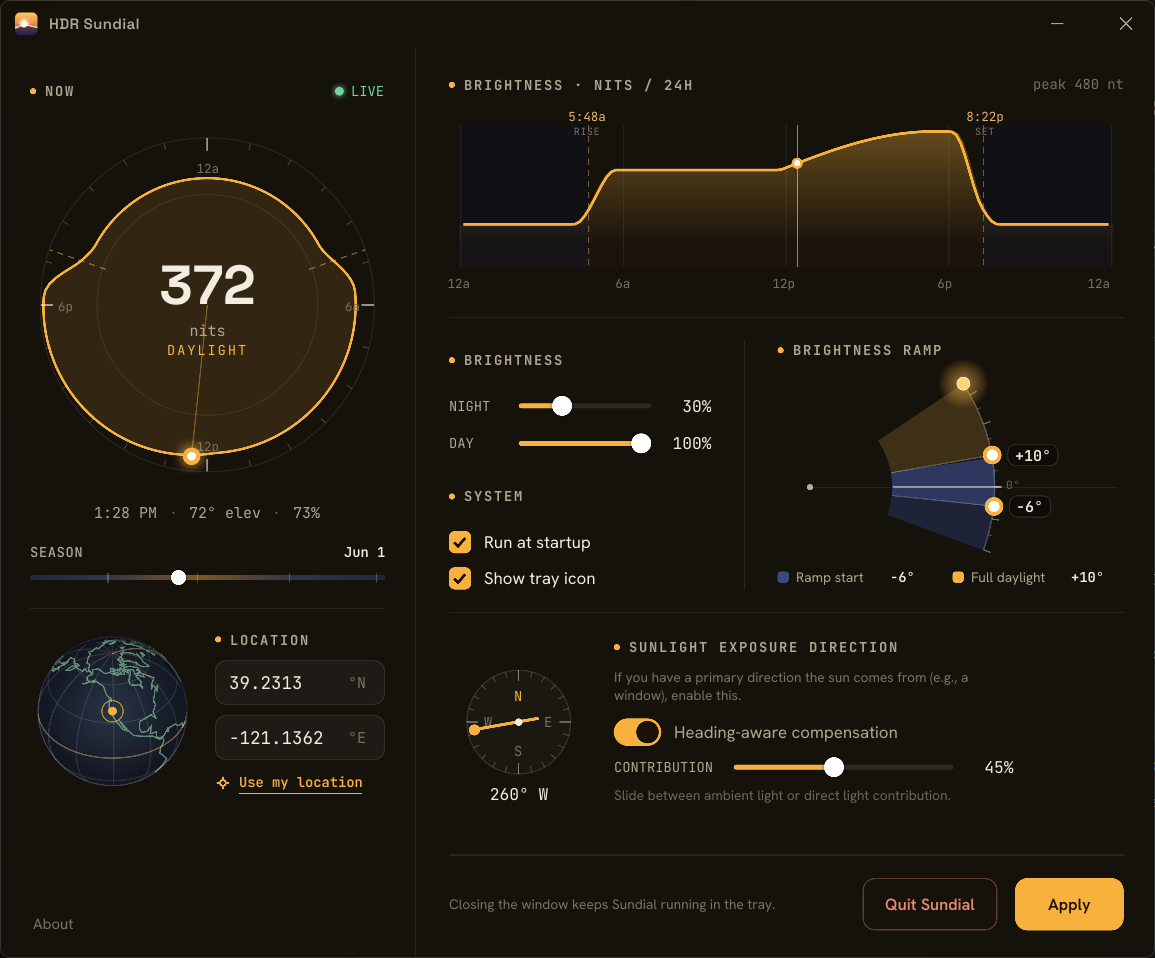
A NOAA solar model computes the sun’s real elevation for your location and eases the Windows SDR content-brightness slider from night to day and back — no schedules to set.
The sun rides low and days run short in winter, high and long in summer. Sundial follows the seasons automatically, so the curve is right for today.
Tell it which way your window faces and it blends ambient skylight with direct sun, matching the light that actually reaches you.
Lives in the system tray, starts at logon, and only nudges the slider when it drifts.
Have the Rust toolchain? Install the latest release straight from crates.io:
$ cargo install hdr-sundialThat puts the sundial binary on your PATH. Run sundial for the dashboard, or sundial once / sundial status from a terminal; sundial startup launches it at logon. Prefer a prebuilt exe? Grab one from Releases.